
Australian graphics-card power-cost guide
GPU Electricity Cost Calculator Australia
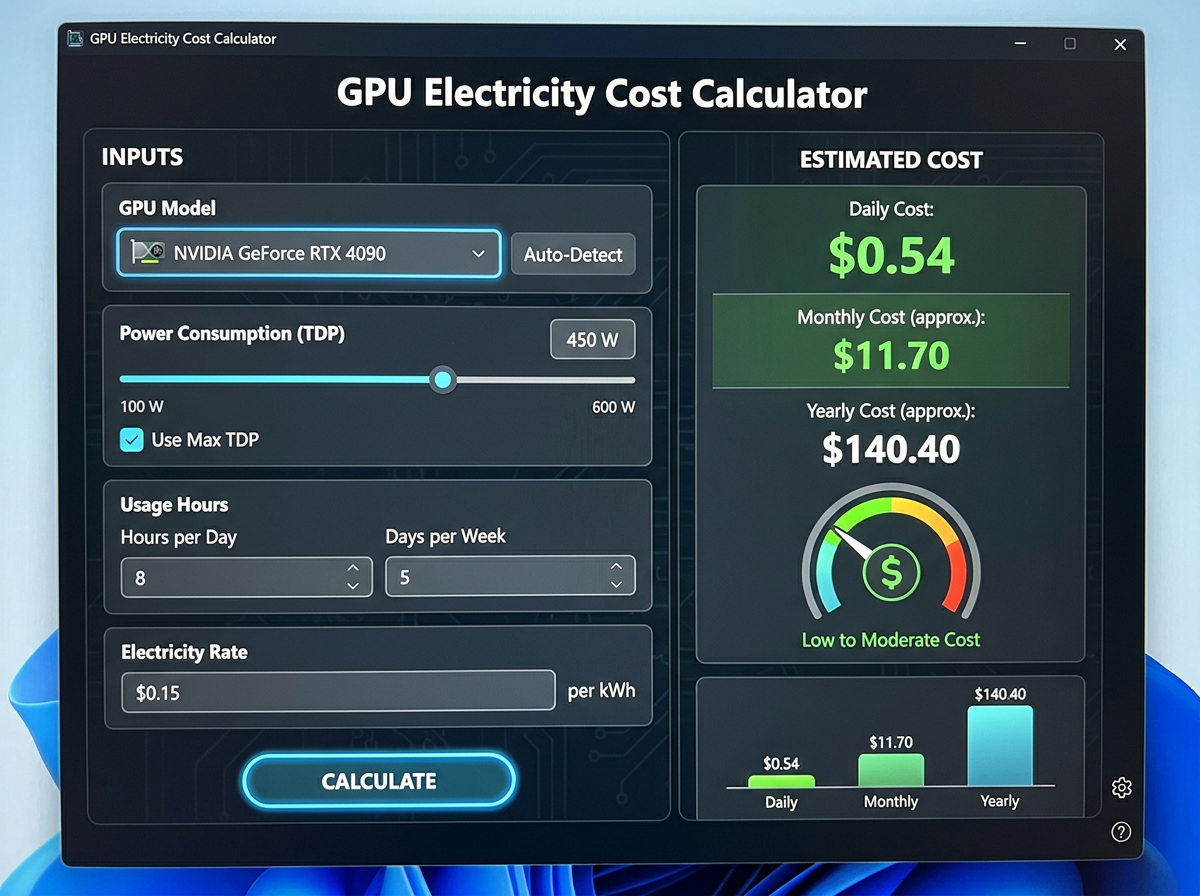
A graphics card does not just cost money to buy. It also costs money to run. This Australian GPU electricity calculator estimates the daily, monthly and yearly electricity cost of your graphics card based on wattage, usage time and your electricity rate in cents per kWh.
This calculator is an estimate. Real power draw changes with games, creative apps, power limits, frame caps, undervolting, system load and local electricity tariffs.
Quick answer
GPU electricity cost is usually small compared with purchase price, but it still matters when cards differ a lot in power draw
If two GPUs perform similarly and one draws materially more power, the cheaper purchase is not always the cheaper ownership decision. Electricity cost becomes more meaningful for heavy daily use, high local power prices and multi-year ownership.
This is why power efficiency, undervolting and workload mix can be useful buying considerations alongside FPS, VRAM and upfront price.
Typical usage perspectives
When electricity cost matters most
Power cost always exists, but it becomes more important in some usage patterns than others.
Casual gaming
If you only game a few hours each week, electricity cost is usually a small part of the total GPU decision.
Regular daily play
Daily gaming or mixed gaming and desktop use makes the difference between efficient and less efficient GPUs more visible over time.
Creative workloads
Long export sessions, rendering and compute workloads can keep a GPU busy for extended periods, increasing annual power cost.
Heavy compute or always-on use
Machine-learning experiments, workstation usage or long runtime patterns make power efficiency much more important.
Visual power-cost guide
Purchase price is only the first layer of GPU value
A very fast GPU may still be the right choice, but understanding power cost helps you compare total ownership more intelligently. The video introduces the idea visually, while the calculator below gives you the numbers.
Use the calculator with realistic daily usage and your own electricity rate for the best estimate.
Interactive GPU electricity calculator
Estimate your graphics-card running cost
Enter an average GPU power draw, how many hours you use it per day and your electricity rate in cents per kWh. You can also add an optional system-overhead estimate if you want to include more than the GPU alone.
daily kWh = (GPU watts + optional overhead watts) × daily hours ÷ 1000
Estimated running cost
Daily costWaiting for inputs
Monthly costWaiting for inputs
Yearly costWaiting for inputs
Energy useWaiting for inputs
Enter your numbers and calculate
The calculator returns a simple estimate for daily, monthly and yearly electricity cost in AUD, plus estimated energy use.
Example reference table
How usage and wattage can change the result
| Average power | Daily use | Rate | Estimated monthly kWh | Estimated monthly cost |
|---|---|---|---|---|
| 150 W | 2 hours | 30 c/kWh | 9.0 kWh | About A$2.70 |
| 200 W | 3 hours | 30 c/kWh | 18.0 kWh | About A$5.40 |
| 250 W | 4 hours | 30 c/kWh | 30.0 kWh | About A$9.00 |
| 300 W | 5 hours | 30 c/kWh | 45.0 kWh | About A$13.50 |
| 350 W | 6 hours | 35 c/kWh | 63.0 kWh | About A$22.05 |
| 450 W | 8 hours | 35 c/kWh | 108.0 kWh | About A$37.80 |
What does this GPU electricity calculator measure?
This calculator estimates the electricity cost of running a graphics card based on average power draw, daily usage and your electricity rate. It is designed as a planning tool rather than a lab-grade measurement system.
Its job is to help Australian buyers compare ownership cost more intelligently, especially when two cards are close in performance but different in power use.
How the calculation works
The core formula is simple. Multiply power in watts by hours of use, divide by 1000 to convert to kWh, then multiply by your electricity rate.
If you enter extra system overhead, the calculator adds it to the GPU wattage before computing energy use. This can be useful if you want a broader gaming-session estimate rather than a GPU-only estimate.
Electricity formula: cost = ((watts × hours) ÷ 1000) × electricity rate
Use an average power draw, not a marketing maximum
A GPU does not sit at one power number all day. Menu screens, light esports titles, capped frame rates and undervolting can all reduce power draw. Heavy rendering or compute workloads can hold it higher.
For the most useful estimate, use a realistic average based on how you actually use the card.
What electricity rate should Australians use?
Use the cents-per-kWh rate most relevant to your own bill or tariff. Australian electricity pricing varies by provider, location and tariff structure, so your rate may differ from someone else's even with the same GPU.
If your bill has multiple usage periods, choose the rate that most closely reflects when you normally game or work, or use a blended average for a general estimate.
GPU-only cost versus full-system cost
This page focuses on GPU electricity cost, but many people naturally think about the whole PC. That is why the calculator includes optional system overhead. Adding overhead can give you a broader session estimate without pretending that the GPU is the only powered part of the machine.
If your goal is comparing two graphics cards, the GPU-only figure is usually the cleaner comparison point.
When electricity cost should influence a buying decision
Electricity cost matters most when power differences are meaningful, daily runtime is heavy or you keep hardware for several years. It matters less when usage is light or the power gap between competing cards is small.
This means running cost should influence the buying decision without completely dominating it. A better GPU can still be the right choice if the performance advantage justifies the extra cost to run.
Efficiency can be value too
Two GPUs can deliver similar real-world results with different power behaviour. In that situation, the more efficient card may offer better overall ownership value even if it is not the cheaper shelf purchase.
Use this page together with GPU Performance Per Dollar so you can weigh operating cost against performance value.
How undervolting and settings changes affect cost
Undervolting, frame caps, lower power limits and workload tuning can all reduce power use. They will not always change your experience the same way, but they can improve efficiency.
If you run a tuned setup, use your estimated real average rather than the default or maximum power number.
Gaming versus creative and compute workloads
Power cost is highly workload dependent. A lightly loaded game may consume less than a long render or a sustained compute session. This is why comparing only one headline wattage can miss the real ownership picture.
Read Gaming vs Creative Workloads if your use case goes well beyond gaming.
Why time matters more than many buyers think
A 50-watt difference may look small on paper, but it becomes more meaningful with long daily usage over a year or more. That does not automatically make one GPU the wrong choice. It simply means time turns efficiency into a real cost factor.
Why this matters in Australia specifically
Australian GPU buyers often compare upfront retail pricing carefully, but electricity cost is part of long-term value as well. For buyers in higher-tariff situations or with heavier usage, efficiency can have a clearer impact on overall ownership.
That is especially relevant when choosing between similarly positioned GPUs.
How to use this in a buying decision
First, estimate the running cost of each card you are considering. Then compare that number against the purchase-price gap and the performance difference. If one GPU is both faster and not dramatically more expensive to run, the decision may be easy. If the power gap is large and performance is close, the efficient card may deserve more weight.
Use GPU Comparison Centre and Where to Buy a GPU in Australia for the rest of the decision framework.
Important limitations
This calculator cannot know your exact workload, room temperature, PSU efficiency, undervolt settings, frame cap or electricity contract. It is a simple planning estimate, not a replacement for direct wall-power measurement.
That limitation is normal and does not stop the tool from being useful for comparison.
A simple electricity-cost workflow
- Estimate a realistic average GPU power draw.
- Enter your average daily usage.
- Use your electricity rate in cents per kWh.
- Add optional system overhead if you want a broader session estimate.
- Compare daily, monthly and yearly cost.
- Repeat for alternative GPUs you are considering.
- Compare that result against price and performance differences.
Related Australian GPU guides
- Australian GPU Guides Hub
- GPU Performance Per Dollar
- Gaming vs Creative Workloads
- Best Time to Buy a GPU
- Where to Buy a GPU in Australia
- GPU Price Tracker Australia
- GPU Comparison Centre
Verification policy
Electricity rates, usage habits and GPU behaviour vary. Buyers should verify their own tariff information and use realistic average power estimates when applying this tool to a purchase decision.
Final verdict
A GPU electricity cost calculator will not make or break every buying decision, but it adds an important layer of realism. It helps show that total value is about more than the purchase price alone.
Use it to compare running cost across cards, then combine that information with performance, pricing and your actual usage pattern.